
Home / Guides
HW Monitor guides
Nine practical guides, from installing the program to understanding every reading. Each one is written to be followed with HW Monitor open beside it.
-
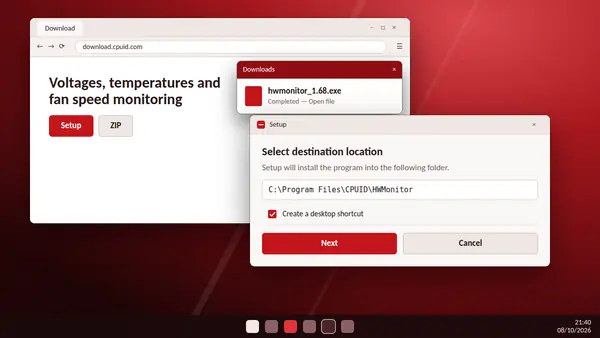
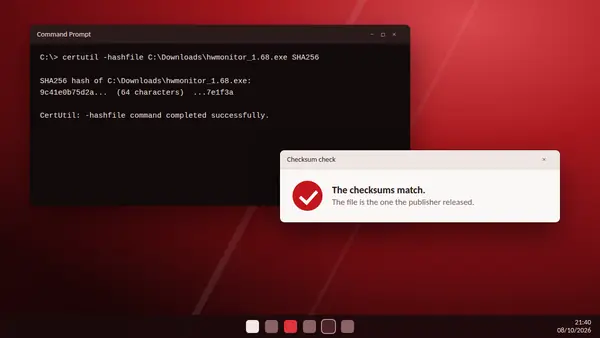
How to download and install HW Monitor
Setup or portable ZIP: which to choose, how to check the file and how to get your first readings.
Read full guide -
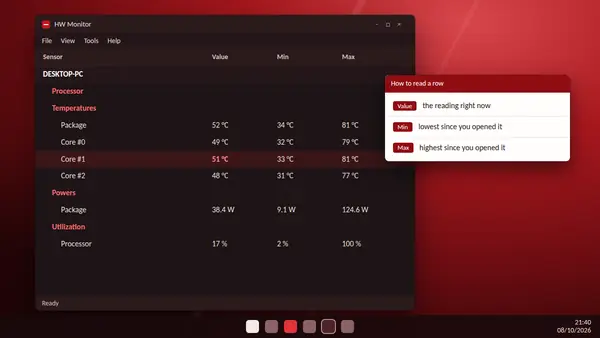
How to check CPU temperature with HW Monitor
Where to look, what Value, Min and Max mean, and how to test your processor under load.
Read full guide -
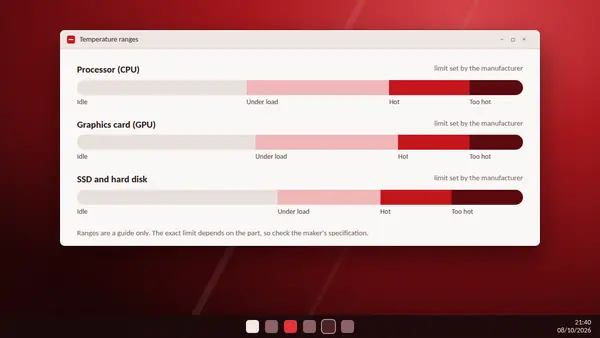
Normal CPU and GPU temperatures: what HW Monitor should show
Typical idle and load ranges for processors, graphics cards and drives, and when to worry.
Read full guide -
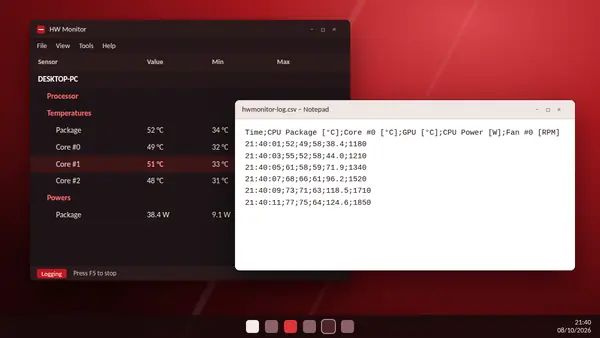
HW Monitor data logging: save sensor readings to CSV
Press F5 to record every sensor, then open the file in a spreadsheet and chart it.
Read full guide -
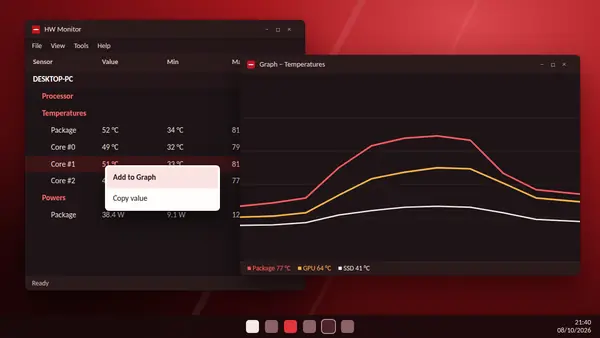
HW Monitor real-time graphs: how to use them
Right-click a sensor, add it to a graph and watch up to eight curves live.
Read full guide -
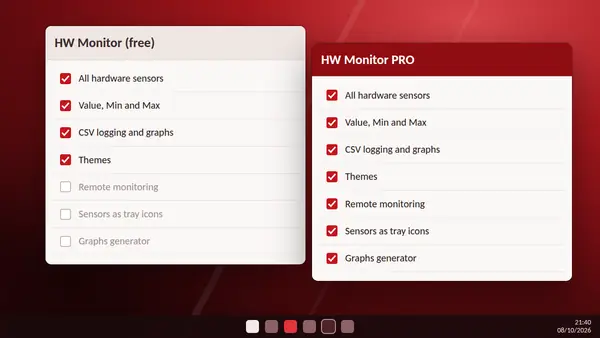
HW Monitor vs HW Monitor PRO: which one do you need?
Both read the same sensors. See what PRO adds and whether you need it.
Read full guide -
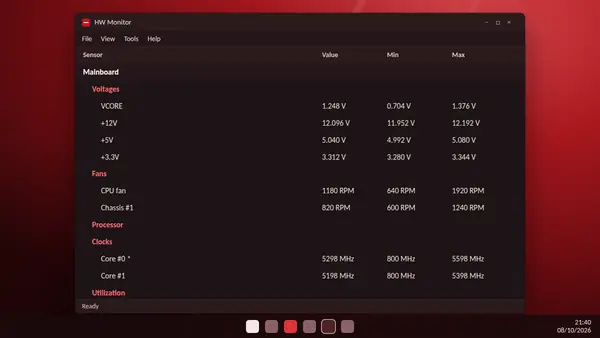
HW Monitor voltages, fans and power readings explained
What VCORE, +12V and RPM mean, why utilization can pass 100% and what the star marks.
Read full guide -
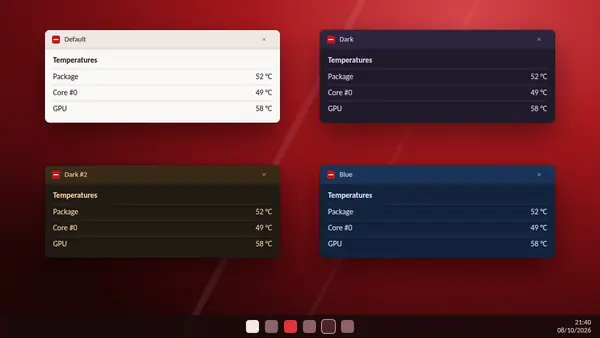
HW Monitor themes and interface tips
Switch themes, collapse sections you do not need and keep the window tidy.
Read full guide -
Is HW Monitor safe? What to check before you run it
Who makes it, how to verify your download and what the program can and cannot do.
Read full guide
Ready to check your PC?
The download is free and comes straight from the CPUID server.