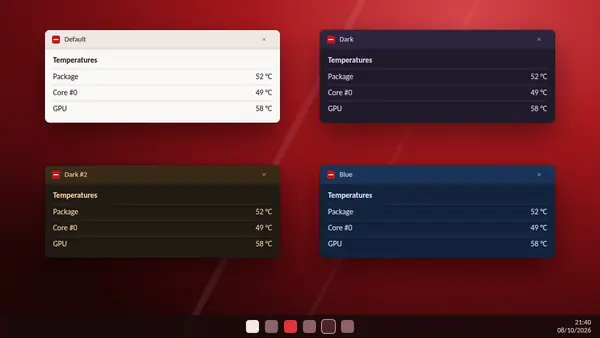
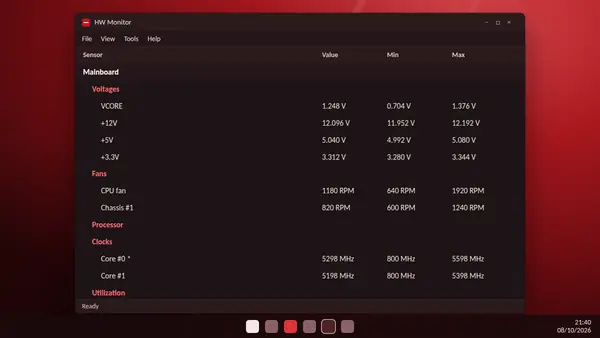
Temperatures are easy to understand. The other sections of HW Monitor take a little explaining. Here is what each group of readings means and what a healthy value looks like.
Voltages
The mainboard section lists the voltages its sensor chip can measure.
- VCORE: the voltage supplied to the processor. It moves constantly, lower at idle and higher under load.
- +12V, +5V and +3.3V: the main lines from the power supply. They should stay close to their names. A few percent either way is normal.
Board sensors are not precision instruments. An odd reading, such as a line shown at an impossible value, usually means the sensor is not wired the way the program expects. Treat a strange figure as a hint, not as proof of a fault.
Fans
Fan speed is shown in revolutions per minute, or RPM.
- A fan at 0 RPM is not always broken. Many graphics cards and some case fans stop when the system is cool.
- A fan stuck at 0 RPM while its part is hot needs checking.
- HW Monitor reads fan speeds. It does not change them. Fan curves are set in the BIOS or in the mainboard maker's own software.
Powers
The processor section reports power in watts. Package power is the total drawn by the chip. It rises sharply under load and falls at idle. Graphics cards report their own power figures.
Utilization
Utilization shows how busy a part is. You may see the processor above 100 percent. This is intended. Since version 1.53, HW Monitor calculates usage the same way as Windows Task Manager, but it does not cap the figure at 100. Values above that reflect turbo modes that push the processor beyond its base speed.
Clocks
Clock speed is listed for each core in MHz. Some cores carry a star. The star marks the fastest cores of the processor, which can run slightly quicker than the rest.
Graphics card extras
For graphics cards, HW Monitor lists PCI Express error counters. The PEX counter can rise during normal operation and is not a sign of trouble by itself. The other counters should stay at zero. If they do not, there may be a real link problem between the card and the mainboard.
Drives and battery
Drives report temperature and health data through S.M.A.R.T. Recent versions add activity figures such as read and write speeds. Laptops show battery capacity, wear level and charge rate.
When a section is missing
HW Monitor only shows what your hardware exposes. If a group is absent, the part has no sensor for it, or it is too new for your version. Updating the program often adds support.