A program that reads low-level hardware sensors needs deep access to your system, so caution is reasonable. The short answer is that HW Monitor is safe, provided the copy you run is the genuine one. Here is how to be sure.
Who makes it
HW Monitor is developed by CPUID, the company behind CPU-Z, one of the best-known system information tools. CPUID has published hardware utilities for more than twenty years, and its software is widely used by reviewers, technicians and PC builders.
Download it from the source
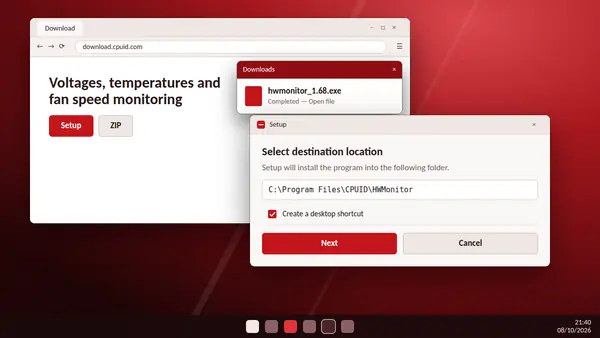
The main risk with any popular free utility is a fake or tampered copy on a look-alike website. Always take the file from the CPUID server.
This site is an independent guide and does not host the program. The download buttons on our homepage point directly to the CPUID download server, which you can confirm in your browser's downloads list.
Verify the checksum
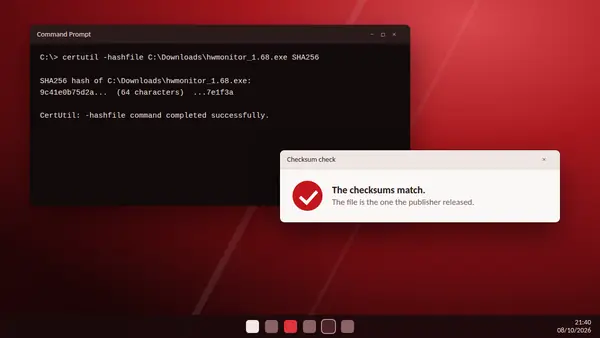
CPUID recommends checking the SHA256 checksum of the file before opening it.
- Open Command Prompt.
- Run
certutil -hashfilefollowed by the full path of the file andSHA256. - Compare the result with the checksum list published on the CPUID website. Make sure you compare the entry with the same file extension.
If the codes differ by even one character, do not open the file. Download it again from the official server.
What HW Monitor does on your PC
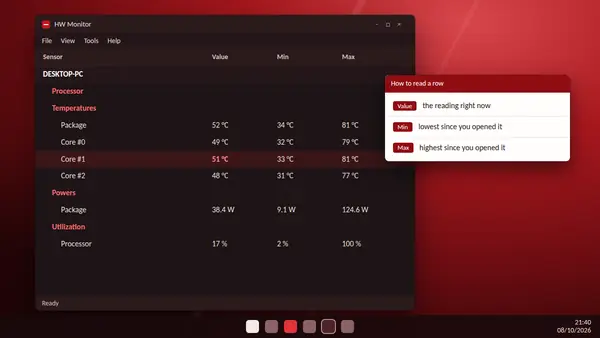
- It reads sensors. It does not change voltages, fan speeds or clock settings.
- It needs administrator rights, because Windows does not let ordinary programs talk to hardware sensors directly.
- The portable ZIP version installs nothing at all.
Why security software sometimes reacts
To reach the sensors, monitoring tools use a low-level driver. Security programs occasionally flag that behaviour in any hardware utility. A file from the official server whose checksum matches is the genuine release.
Can it damage hardware?
No. Reading a temperature or a voltage does not put any stress on the part. HW Monitor has no stress test and no overclocking controls.
Are the readings accurate?
Processor and graphics card temperatures come from sensors inside the chips and are dependable. Mainboard voltages and some fan readings depend on how the board is wired and can be off. Use them as a guide.
How to remove it
Uninstall it from Windows Settings under Apps, or from the CPUID folder in the Start menu. Delete the leftover CPUID folder if you want every trace gone. The portable version is removed by deleting its folder.
The verdict
Official download, checksum verified: used that way, HW Monitor is one of the safest tools you can run, because all it does is look.