CPUID publishes two editions of its monitoring tool. People often assume the paid one reads more sensors. It does not. The difference lies in what you can do with the readings.
What both editions share
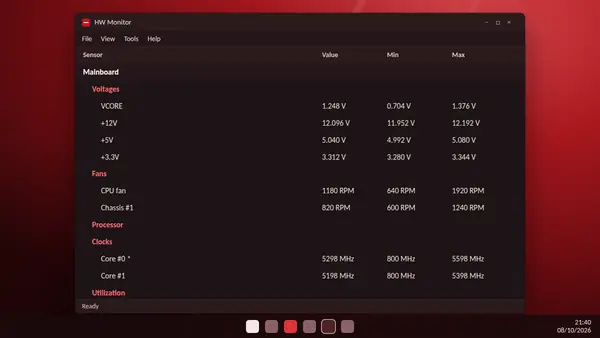
According to the publisher, HW Monitor PRO has exactly the same hardware monitoring features as the free HW Monitor. Both read:
- temperatures, voltages and fan speeds,
- power and current,
- utilization and clock speeds,
- drive health through S.M.A.R.T.,
- battery details on laptops.
Both show Value, Min and Max for each sensor.
What HW Monitor PRO adds
- Remote monitoring: watch one PC from another PC, or from an Android device.
- Sensors as tray icons: put a chosen reading, such as processor temperature, in the notification area beside the clock.
- Advanced logging: extra logging tools, including a graphs generator.
Side by side
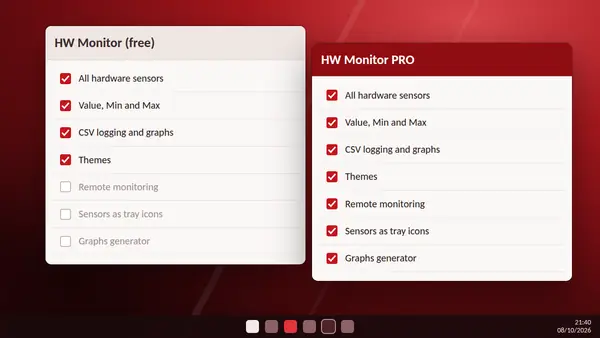
| HW Monitor | HW Monitor PRO | |
|---|---|---|
| All hardware sensors | Yes | Yes |
| Value, Min and Max | Yes | Yes |
| CSV logging with F5 | Yes | Yes |
| Remote monitoring | No | Yes |
| Sensors as tray icons | No | Yes |
| Graphs generator | No | Yes |
| Price | Free | Paid licence |
Who should stay with the free version
If you want to check temperatures after a gaming session, confirm that a new cooler works or keep an eye on an ageing laptop, the free HW Monitor does everything you need. Its real-time graphs and CSV logging cover most home use.
Who benefits from PRO
- People who look after several computers and want to check them from one desk.
- Anyone who wants a temperature always visible in the tray without keeping a window open.
- Users who produce regular reports and want graphs generated for them.
Can you try PRO first?
CPUID offers HW Monitor PRO as a separate download on its website. Check the current trial and licence terms there before buying, because they can change.
The simple rule
Start with the free HW Monitor download. Move to PRO only when you find yourself wanting one of its three extras.